Switching made easy
Bring your data with you
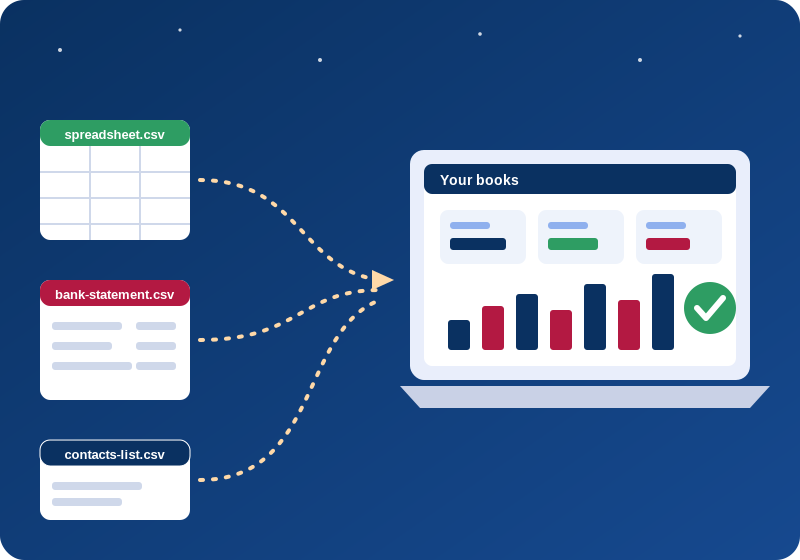
Import customers, vendors, products and bank statements from QuickBooks, Wave, Xero, FreshBooks, Square, Excel, Google Sheets or your bank. Preview first. Nothing is saved until you say so.
- CSV files from any program
- Duplicates skipped
- Existing records never overwritten
Three steps
Export a CSV
In your current program choose Export, then CSV. In a spreadsheet choose Save as CSV.
Preview
Open Import data inside the app, choose the file and press Preview to see what would be added.
Import
Press Import. New records are added, existing ones are skipped. Repeat for each list.
What you can import
Customers and vendors
Name, email, phone and payment terms such as Net 30. Columns named Customer, Vendor, Company or Display Name are recognised.
Products and inventory
SKU, name, price, cost, quantity on hand, reorder point and barcode. Opening stock is posted to your books.
Bank statements
Date and amount, or debit and credit columns. Duplicates are skipped and lines can be matched to invoices and bills.
Open invoices and bills
Enter what is still owed with the original dates so your aging reports are right from day one.
Live bank feeds and direct connections to other accounting programs are not included. Import works with the CSV files those programs and your bank let you download.
Questions about importing
What file format do I need?
A CSV file. Every major accounting program and spreadsheet can export one. In Excel or Google Sheets choose File, Save as CSV.
Will importing overwrite my existing records?
No. Records that already exist are skipped. You also get a preview before anything is saved.
Is there a free trial?
Yes. Start a free 72-hour trial with no card. During the trial exports and downloads are turned off; choose a plan any time to unlock them.
Can I bring my data from QuickBooks, Wave, Excel or my bank?
Yes. Export your customers, vendors and products as CSV files and import them in minutes, then import bank statements as CSV. Nothing is saved until you confirm, and existing records are never overwritten.
Who owns my data?
You do. You can export it at any time with a paid plan. If you close your account we keep your data for 30 days so you can download it, then delete it.
How is my data protected?
Every business has its own separate database. Connections use HTTPS, passwords are hashed, sign-in is rate limited, and two-step sign-in is available. You choose who has access to what. Our security page explains who is responsible for what.
Is it right for my kind of business?
It is built for individuals, small and medium businesses, trucking companies, LLCs, corporations, shops, salons, restaurants, contractors and nonprofits. Pick your industry at sign-up and we set up sensible access profiles for your team.
Does it do payroll and taxes?
It estimates pay, withholdings, 401(k) and deductions from time sheets, and reports employer costs. These are estimates for planning, and it is not a payroll filing service, so confirm with your accountant or payroll provider.
Can my accountant use it?
Yes. Add them with a read-only login so they can see everything and change nothing.
Can I use it on my phone?
Yes. Clock in, scan receipts and check your numbers from a phone, and add the site to your home screen to use it like an app.
Is there an Excel version?
Yes. The Excel workbook store has eight ready-made workbooks (financial dashboards, inventory, budgeting and forecasting, compliance, payroll tracking, KPIs, healthcare reporting and automated reports) plus a bundle. Buy once, keep the file, no account needed.